How to compress a PDF to 2MB
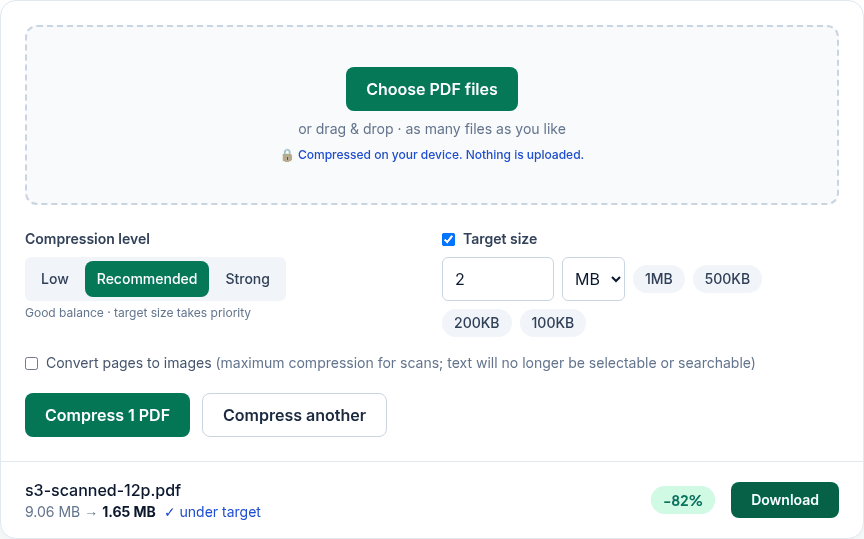
- Click Choose PDF files or drop the PDF on the box. You can add several and each is compressed to 2 MB.
- Leave Target size at 2 MB. Change it if your form says something different, for example 1.9 MB (decimals work).
- Click Compress and wait a few seconds. A long scan can take up to about 30 seconds.
- Check the new size and click Download. The file is saved as
name-compressed.pdf.
What we measured
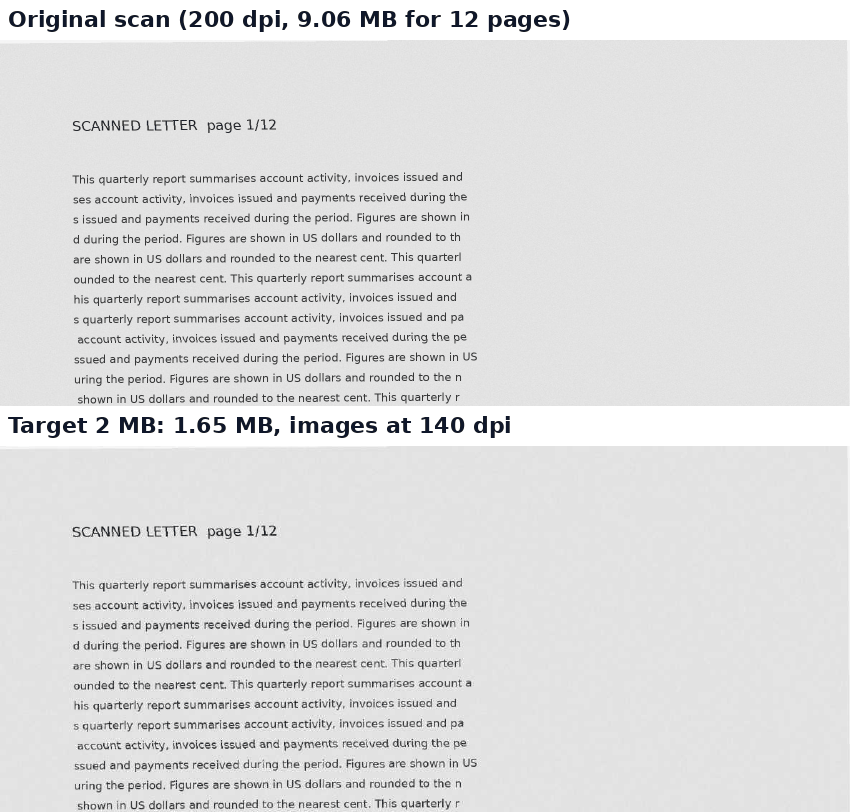
We ran the live tool on October 22, 2026 (PT) in Google Chrome 155 on Linux, with sample files we made for the test. Target size was 2 MB with the default Recommended level. "As images" is the Convert pages to images option.
| Sample PDF | Original | With 2 MB target | As images, 2 MB target |
|---|---|---|---|
| 12-page scanned letter (200 dpi grey) | 9.06 MB | 1.65 MB; images now 140 dpi | 1.39 MB |
| 36-page scanned document | 27.19 MB | 1.88 MB; images now about 90 dpi | 1.43 MB, about 70 dpi |
| 8 pages of photos (2400×1600 each) | 13.57 MB | 1.72 MB; photos now 2040×1360 | 606 KB |
| 5 slides with pictures | 3.25 MB | 1.02 MB | 292 KB |
| 10-page text report | 11.4 KB | 9.0 KB (already far under 2 MB) | Kept the original: as images it would have been bigger |
The 12-page scan gave the same 1.65 MB in iPhone 13 emulation. Each run took between 2 and 20 seconds.
What 2 MB means here
The tool counts 2 MB as 2 × 1024 × 1024 = 2,097,152 bytes. Some sites count 2 MB as 2,000,000 bytes. If a form rejects a file that the tool says is under 2 MB, set the target to 1.9 MB and compress again. Our results above are all below 2,000,000 bytes too.
If the file won't get under 2 MB
- Try Convert pages to images. For scans it saved another 15–25% in our tests, but text in that version can't be selected or searched.
- Remove pages you don't need with Delete pages, or split the PDF and send it in parts.
- Mostly text? Then it's probably small already (our 10-page report was 11 KB). If a text-only PDF is still big, the space isn't in images, and images are what this tool shrinks.
Privacy
The work happens in your browser tab, so your files aren't uploaded. The site counts page visits and sends one anonymous event per use (tool name, whether it worked, a file-size range). No event is sent when Global Privacy Control or Do Not Track is on. See the privacy policy.
Related tools
- Compress PDF: all compression options
- Compress PDF to 1MB
- Compress PDF to 300KB
- Compress PDF for email
- Split PDF: when one file is too big